AI

Moving the Digital Co-Worker from the "Lost" Island to the Operating Room.

Labels
AI(15) AJAX(112) App Studio(10) Apple(1) Application Builder(245) Application Factory(207) ASP.NET(95) ASP.NET 3.5(45) ASP.NET Code Generator(72) ASP.NET Membership(28) Azure(18) Barcode(2) Barcodes(3) BLOB(18) Business Rules(3) Business Rules/Logic(140) BYOD(13) Caching(2) Calendar(5) Charts(29) Cloud(14) Cloud On Time(2) Cloud On Time for Windows 7(2) Code Generator(54) Collaboration(11) command line(1) Conflict Detection(1) Content Management System(12) COT Tools for Excel(26) CRUD(1) Custom Actions(1) Data Aquarium Framework(122) Data Sheet(9) Data Sources(22) Database Lookups(50) Deployment(22) Designer(178) Device(1) Digital Workforce(3) DotNetNuke(12) EASE(20) Email(6) Features(101) Firebird(1) Form Builder(14) Globalization and Localization(6) HATEOAS(6) How To(1) Hypermedia(3) Inline Editing(1) Installation(5) JavaScript(20) Kiosk(1) Low Code(3) Mac(1) Many-To-Many(4) Maps(6) Master/Detail(36) Micro Ontology(5) Microservices(4) Mobile(63) Mode Builder(3) Model Builder(3) MySQL(10) Native Apps(5) News(18) OAuth(9) OAuth Scopes(1) OAuth2(13) Offline(20) Offline Apps(4) Offline Sync(5) Oracle(11) PKCE(2) Postgre SQL(1) PostgreSQL(2) PWA(2) QR codes(2) Rapid Application Development(5) Reading Pane(2) Release Notes(186) Reports(48) REST(29) RESTful(30) RESTful Workshop(14) RFID tags(1) SaaS(7) Security(81) SharePoint(12) SPA(5) SQL Anywhere(3) SQL Server(26) SSO(1) Stored Procedure(4) Teamwork(15) Tips and Tricks(87) Tools for Excel(3) Touch UI(93) Transactions(5) Tutorials(183) Universal Windows Platform(3) User Interface(337) Video Tutorial(37) Web 2.0(100) Web App Generator(101) Web Application Generator(607) Web Form Builder(40) Web.Config(9) Workflow(28)
Archive
Blog
AI
Tuesday, January 6, 2026PrintSubscribe
Stop Treating Your AI Like a Plane Crash Survivor

Our previous post gives the scientifically precise definition of the Code On Time Digital Co-Worker:

"A heartbeat state machine with prompt batch-leasing that performs burst-iteration of loopback HTTP requests against a Level 3 HATEOAS API, secured by OAuth 2.0."

To a system architect, that sentence is poetry. To everyone else, it’s word salad.

So, let’s try a different language. Let’s talk about Jack Shephard from the TV show Lost (owned by Disney/ABC).

image1.png

The AI at the Crash Site (The Industry Standard)

Imagine the pilot episode of Lost. The plane has crashed. There is burning wreckage everywhere. Passengers are screaming. Chaos reigns.

Jack Shephard, a spinal surgeon, wakes up in the bamboo forest. He is brilliant, capable, and highly trained. But what is he doing? He isn't performing delicate spinal surgery. He is running around screaming, "Who is hurt? Where is the water? Is that a polar bear?"

This is exactly how the modern software industry treats Artificial Intelligence.

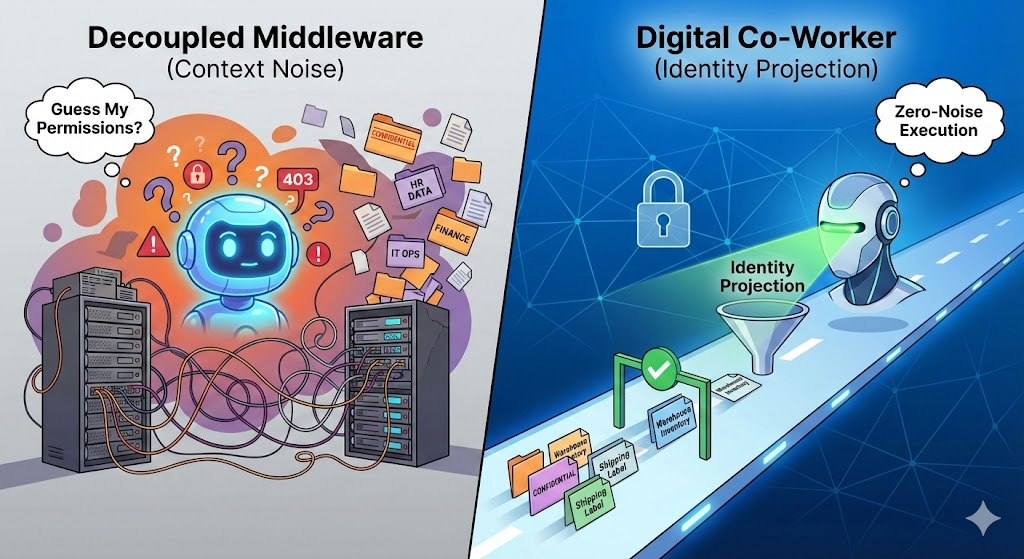
When you drop a "Chatbot" into an unstructured environment (a vector database or a messy PDF repository) and text it "Hello," you are dropping Jack Shephard onto the island.

  • The Context is Chaos: The AI has to figure out where it is every single time.
  • The Cognitive Load is Massive: It spends 90% of its energy (and your money) just doing triage. "Is this user asking for an invoice? Or a pizza? Who am I again?"
  • The Result: Your expensive "Hero" AI is wasting its brilliance on logistics. It hallucinates because it is stressed by the ambiguity.

The AI in the Operating Room (The CoT Approach)

Now, imagine a different scene.

Jack Shephard wakes up. The air is cool and sterile. The lights are bright. He is standing in a fully staffed Operating Room. On the table is a patient, draped and prepped. A chart hangs at eye level: "Patient: Order #101. Procedure: Approve Purchase."

There is no burning wreckage. There are no screaming passengers. There is only the patient and the procedure.

Jack doesn't ask, "Where am I?" He simply holds out his hand. A nurse places a scalpel in it. He makes the incision. He is done in 30 seconds.

This is the Digital Co-Worker.

How We Built the Hospital

That "word salad" definition we gave you earlier? That is just the blueprint for the hospital that makes the surgery possible.

  1. The Sterile Field (HATEOAS): We don't let the AI guess the patient's condition. The app provides a strict "State Representation" (the patient chart). The AI can only see the buttons and fields that are valid right now. It physically cannot "hallucinate" a database drop command because that instrument isn't on the tray.
  2. The Nursing Staff (Heartbeat & Batch-Leasing): The surgeon (AI) shouldn't be scheduling appointments or checking into the front desk. Our "Heartbeat" mechanism handles the queuing and logistics. It wakes the AI up exactly when the patient is ready, hands it the "context" (the scalpel), and puts it back to sleep the moment the cut is made.
  3. The Procedure (State Machine): In the ER, we don't improvise. We follow protocols. The State Machine ensures the AI moves from "Draft" to "Review" to "Approved" in a predictable line. It’s not an adventure; it’s a process.

Why "Residents" Beat "Heroes"

Here is the economic reality: Jack Shephard is expensive.

If you are operating at the "Crash Site," you need a hero. You need the smartest, most expensive AI model (like GPT-4-Opus) just to survive the chaos.

But if you are operating in a "Code On Time Hospital," you don't need a hero. You can use a Resident (a faster, cheaper "Flash" model). Because the environment is so structured—because the chart is clear and the nurse is helpful—the Resident can perform the appendectomy just as well as the Hero, but for 1/100th of the cost.

Conclusion: Don't Stress the Surgeon

We are currently in a hype cycle where companies are trying to build "Smarter Jacks." They think if they build a big enough brain, it can fix the plane crash.

At Code On Time, we decided to fix the environment.

We moved the AI out of the jungle and into the ER. We gave it a "State to Keep" and a "Resource to Act On." We stopped asking it to be a survivor and started letting it be what it was meant to be: A Professional.

Stop dropping your AI on an island. Build it a hospital.
Labels: AI, HATEOAS
Saturday, December 13, 2025PrintSubscribe
Why Your AI Pilot Will Fail: You Built a Chatbot, We Built a State Machine

The industry is drowning in "AI implementations" that are little more than Python scripts wrapped around a vector database. They are brittle, insecure, and ultimately, they are toys.

When a CIO asks how we integrate AI with enterprise data, we don't show them a flashy demo of a chatbot telling a joke. We give them a definition.

If you cannot describe your AI integration strategy in one sentence, you don't have one. Here is ours:

"A heartbeat state machine with prompt batch-leasing that performs burst-iteration of loopback HTTP requests against a Level 3 HATEOAS API, secured by OAuth 2.0."

If that sounds like overkill, you are building a prototype. If that sounds like a requirement, you are ready to build an Enterprise Agent.

Here is why every word in that sentence is the difference between a project that stalls in "Innovation Lab" purgatory and a Digital Co-Worker that transforms your business.

1. "Loopback HTTP Requests" (The Zero-Trust Firewall)

Most developers lazy-load their AI integration. They write a Python script that imports your internal library and calls OrderController.Create() directly.

They just bypassed your Firewall, your Throttling middleware, your IP restrictions, and your Auditing stack. They created a "God Mode" backdoor into your database.

We reject this. The Axiom Engine built-into your database web application executes every single action via a Public Loopback HTTP Request.

  • The Agent leaves the application boundary.
  • It comes back via the public URL.
  • It presents a valid Access Token.
  • It passes through the full WAF (Web Application Firewall) and Security Pipeline.

If the request is valid for a human, it is valid for the Agent. If it isn't, it is blocked. Zero Trust is not a policy; it is physics.

2. "Level 3 HATEOAS API" (The Hallucination Firewall)

LLMs are probabilistic. They guess. If you give an AI a tool called delete_invoice, it will eventually try to use it on a paid invoice, simply because the probabilistic weight suggested it.

You cannot fix this with "Prompt Engineering." You fix it with Architecture.

Our agents operate exclusively against a REST Level 3 Hypermedia API.

  • Level 2 API: Returns Data ("status": "paid").
  • Level 3 API: Returns Data + Controls (_links).

When the Agent loads a paid invoice, the application logic runs and determines that a paid invoice cannot be deleted. Consequently, the API removes the delete link from the JSON response.

The Agent literally cannot hallucinate a destructive action because the button has physically disappeared from its universe.

3. "Prompt Batch-Leasing" (The Scale Engine)

A chatbot is easy. A fleet of 1,000 autonomous agents working 24/7 is an engineering nightmare.

If 500 agents wake up simultaneously to check inventory, they will DDoS your database. Code On Time implements Batch-Leasing:

  • The server's "Heartbeat" starts with the app going alive and is constantly looking for the incomplete prompt iterations.
  • It "leases" a specific batch of active agents (e.g., 50 at a time).
  • It loads their state, executes their next step, and saves them back to disk.
  • It releases the lease and moves to the next batch.

This allows a standard web server to orchestrate a massive workforce of Digital Co-Workers without locking the database or exhausting thread pools.

4. "State Machine Burst-Iteration" (The Efficiency Model)

AI is slow. HTTP is fast. If your agent does one thing per wake-up cycle, a simple task like "Check stock, then create order" takes two minutes of "waking up" and "sleeping."

We use Burst-Iteration. When the State Machine wakes up an agent, it allows the agent to perform a rapid-fire sequence of HATEOAS transitions (Check Stock -> OK -> Check Credit -> OK -> Create Order) in a single "burst" of compute.

This mimics the human workflow: You don't log out after every mouse click. You perform a unit of work, then you rest.

5. "Secured by OAuth 2.0" (The Sovereign Identity)

Who is doing the work? A generic "Service Account"?

In our architecture, the Application itself is the Identity Provider (IdP). Every Code On Time app ships with a native, built-in OAuth 2.0 implementation that supports the Authorization Code Flow (PKCE) for apps and the Device Authorization Flow for headless agents.

The State Machine includes the standard Access Token in the header of every loopback request (Authorization: Bearer …). The App validates this token against its own internal issuer, ensuring total self-sovereignty.

This enables Automated Token Management:

  1. The Loopback: The Agent presents the token. The App validates it against its own keys.
  2. The Offline Loop: With the offline_access scope, the State Machine uses the Refresh Token to seamlessly mint new access tokens. This allows the Agent to work on long-running tasks without user intervention.
  3. The "Device Flow" Safety Net: If the refresh fails (e.g., the user is disabled), the Agent pauses and marks the session as "Unauthorized."

This triggers our Device Flow: the user receives an SMS or email: "Your Co-Worker needs permission to continue. Please visit /device and enter the code AKA-8LD."

6. The BYOK Model (No Middleman Tax)

Finally, how do you pay for intelligence?

Most AI platforms charge a markup on every token. We don't. The Digital Co-Worker operates on a Bring Your Own Key (BYOK) model. The LLM is yours—you simply provide the key, and the State Machine communicates directly with your corporate-approved AI provider.

There is no middleman tax.

You maintain total control via the app configuration:

  • Granular Constraints: Define specific model flavors, duration limits, and token consumption caps.
  • Role-Based Definitions: You can create role-specific policies. Give your "Executives" a powerful "thinking" model (like o1) with higher consumption limits, while strictly controlling the AI budget for the rest of the workforce using a faster, cheaper model (like GPT-4o-mini).

It is trivial to enable the Digital Co-Worker.

You simply assign the "Co-Worker" role to a user account. This instantly grants them access to the in-app prompt and the ability to text or email their Co-Worker (provided the Twilio/SendGrid webhooks are configured).

Every Code On Time application includes 100 free Digital Co-Workers (users with AI assistance). The Digital Co-Worker License enables the AI Co-Worker role for one additional user for one year, equipping them with an intelligent, autonomous assistant accessible via the app, email, or text that operates strictly within their security permissions. Purchase licenses only for the additional workers beyond the included 100.

The "Virtual MCP Server" (Take It To-Go)

While the Digital Co-Worker is the fully autonomous agent living inside your server, we understand that you may be building your own MCP servers already.

That is why every Code On Time application includes a powerful, built-in feature: the Virtual MCP Server.

The Virtual MCP Server allows you to take a "slice" of the Co-Worker's power and export it to external LLM tools like Cursor, Claude Desktop, or your own Python scripts.

  • How it works: It projects the HATEOAS API of a specific user account as a dynamic MCP Manifest.
  • The Integration: You simply provide your LLM host with the App URL and an API Key.
  • The Result: Your external LLM instantly gains "Tools" that match the user's permissions (e.g., list_customers, create_order).

Because the Virtual MCP Server uses the exact same HATEOAS "recipe" as the Digital Co-Worker, it is just as secure. You can use it to power your favorite IDE or chat prompt with secure, hallucination-free tools inferred directly from your live database web application.

Here is the strategy: Keep your existing prompts, guardrails, and custom MCP servers. Simply build a database web app with Code On Time and configure a few dedicated user accounts secured with SACR (Static Access Control Rules) to enforce strict data boundaries. Because the UI is automatically mirrored to the HATEOAS API, you can immediately configure Virtual MCP Servers as projections of the API for these user accounts.

Use these new, robust tools to power the complex prompts and guardrails you are still working on. Finally, when you are ready to see the true potential of this architecture, specify your own LLM API Endpoint and Key in the app settings to enable the embedded Digital Co-Worker. Try a free-style, "no-guardrails" prompt and watch how the Human Worker's alter-ego navigates your enterprise data with perfect precision.

How Do You Make Your AI Pilot Succeed?

Don't build an "AI Project." Build a Business App.

The industry is telling you to dump your data into a Vector Database and hire Prompt Engineers. They are wrong. They are trying to teach the AI to be a Database Administrator (writing SQL), when you should be teaching it to be a User (clicking buttons).

To make your AI pilot succeed, you need to give it a User Interface.

When you build a database web app with Code On Time, you are building two interfaces simultaneously:

  1. The Touch UI: For your human employees to do their work. It is optional and can be reduced to a single prompt.
  2. The Axiom API: A standard, HATEOAS-driven interface for your Digital Co-Worker.

You don't need to define "Tools" for the AI. You don't need to write "System Prompts" to enforce security. You simply build the app.

  • If you add a "Manager Approval" rule to the screen, the AI instantly respects it.
  • If you hide the "Salary" column from the grid, the AI instantly loses access to it.

Your AI Pilot succeeds not because it is smarter, but because it is grounded. It lives inside the application, subject to the same laws of physics as every other employee.

You can spend millions building a "Smart Driver" (a custom LLM) that tries to navigate your messy dirt roads. Or, you can build a "Smart Highway" (The Axiom Engine) that lets any standard model drive safely at 100 MPH.

Code On Time provides the highway.
Learn how to build a home for the Digital Co-Worker.
Labels: AI, HATEOAS
Tuesday, December 2, 2025PrintSubscribe
The Missing Link: Why HATEOAS is the Native Language of AI

For the last two years, the tech industry has burned billions of dollars trying to solve the "Agent Problem." How do we get AI to reliably interact with software?

We built massive vector databases. We trained 100-billion-parameter reasoning models. We invented complex protocols like MCP (Model Context Protocol).

But the answer wasn't in the future. It was in the past.

It turns out that Roy Fielding solved the Agent Problem in his doctoral dissertation in 2000. We just ignored him because we didn't have agents yet.

The "Level 3" Gap

In software architecture, we rely on the Richardson Maturity Model to grade our APIs.

  • Level 2 (The Industry Standard): We use HTTP verbs (GET, POST) and resources. This works great for human developers who can read documentation and hard-code the logic into a UI.
  • Level 3 (Hypermedia / HATEOAS): The API itself tells the client what it can do next.

For 25 years, the industry stopped at Level 2. "Why do I need the API to send me links?" a developer would ask. "I know where the buttons go."

But AI Agents are blind. They don't have the intuition of a developer. They need a map.

Validation from the Field

There is recent talk in the software architecture community that vindicates this "Level 3" approach. International speaker and software architect Michael Carducci recently delivered a session titled "Hypermedia APIs and the Future of AI Agentic Systems," where he articulates the precise architectural reality we have witnessed in our own labs.

Carducci argues that we don't need smarter models; we need "Self-Describing APIs." When an API includes the controls (Hypermedia) in the response, the AI agent no longer needs to guess, hallucinate, or rely on brittle documentation. It simply follows the path laid out by the server.

The Digital Co-Worker: Theory into Practice

Carducci’s talk represents the Theoretical Physics of Agentic AI. The Axiom Engine—embedded in every Code On Time application—is Applied Engineering.

When we generate a Digital Co-Worker, we are not building a chatbot with tools. We are building a Level 3 HATEOAS Browser powered by an LLM. This is made possible by a specific set of technologies we refer to as the Axiom Engine.

1. The Cortex: REST Level 3 & HATEOAS

The built-in engine automatically projects your application's User Interface logic into a RESTful Level 3 API. This is not a separate "AI API" that you have to maintain; it is a mirror of your live application.

Because it uses HATEOAS (Hypermedia as the Engine of Application State), the API response contains both the data and the valid transitions. When the Co-Worker processes an invoice, it reads the _links array in the JSON response. If the invoice is paid, the pay link physically disappears, and the archive link appears. The AI cannot click a link that isn't there.

2. The Pulse: Loopback & Heartbeat

Intelligence is useless without execution. The Axiom Engine includes a server-side Heartbeat that performs "Batch Leasing." It wakes up, checks for pending prompts, leases a block of work, and begins "Burst Iterating."

Crucially, every action is performed via an HTTP Loopback Request to the application itself. The State Machine executes these requests using the user's access_token, which is included and automatically refreshed via the refresh_token as needed. This architecture allows an agent to execute a prompt over the course of months. The server can restart, or the process can pause for weeks, but the agent's session remains valid and secure.

3. The Memory: Immutable Anchors & Dynamic State

Context is the most expensive resource in AI. To manage this, we use a collaborative memory model that balances flexibility with strict mission adherence:

  • The Anchors (Positions 0-1): The User's Original Prompt and the System Instruction are permanently pinned to the first two positions of the state array. They are never compressed. This ensures that even after 100 iterations, the agent never forgets its core persona or its ultimate goal.
  • The Dynamic Tail: For the subsequent history, the LLM decides the "next state to keep" in every iteration. It explicitly chooses what relevant information to carry forward.
  • Intelligent Compression: The State Machine automatically compresses this dynamic tail based on configuration to keep the token count low, but it leaves the Anchors untouched.
  • The Cycle: This allows the agent to move forward indefinitely using a hybrid context: the immutable mission (Anchors), the accumulated wisdom (Compressed Tail), and the current reality (HATEOAS Resource).

All prompt iterations are persisted in the app's CMS, enabling full auditability and traceability of the agent's "thought process."

4. The Continuum: Infinite Context & Real-Time Sync

Unique to the Axiom Engine is the ability to maintain an Infinite Meaningful Conversation that can span years.

  • Sticky Context: A new prompt in an existing chat always starts with the Last Resource. If you finished talking about an Invoice last Tuesday, and type "Approved" today, the agent knows exactly which invoice you mean.
  • JIT Refresh: The world changes while the agent sleeps. When a conversation resumes—whether after 5 minutes or 5 months—the State Machine automatically refreshes the "stale" resource. The agent always sees the live data (e.g., that the invoice was already paid by someone else), preventing "ghost" actions.
  • Omnichannel Threads: This continuity works across all channels.
    • App: Supports multiple distinct chat threads.
    • SMS: Acts as a continuous, potentially year-long conversation stream.
    • Email: Each thread becomes a secure, long-term chat session.
  • The "Menu" Fail-Safe: If the user changes the topic entirely (e.g., switching from Invoices to Sales), and the LLM cannot resolve the request against the current resource, it has a universal escape hatch: the "Menu" Link. This leads to the equivalent of the application's main navigation menu, complete with human-readable tooltips. The agent simply clicks "Home" and navigates to the new subject, just like a human user would.

5. The Badge: Identity & Security

In the Axiom Engine, Identity is paramount.

  • OAuth 2.0 Authorization Code & Device Flow: Whether via web or "dumb" channels like SMS, every interaction is authenticated.
  • Federated Identity Management: The engine integrates with corporate IdPs. The Digital Co-Worker has no separate identity; it is the user. It inherits the exact Row-Level Security (RLS) and Audit logs of the human it is assisting.

We Saved Millions by Looking Backward

While competitors are trying to build "Self-Driving Cars" by training better drivers (AI Models), we focused on building "Smart Roads" (Hypermedia Apps).

This architectural decision has saved us—and our clients—tens of thousands of dollars in R&D and implementation costs. We didn't need to invent a proprietary "Agent Protocol." We just needed to implement the standard that the web was built on.

The industry is currently scrambling to reinvent the wheel. Meanwhile, your database is ready to become an Agentic Operating System today. You just need to give it a voice.

... Hypermedia APIs and the Future of AI Agentic Systems - Michael Carducci
This video features software architect Michael Carducci explicitly validating the Level 3 HATEOAS architecture as the critical enabler for autonomous AI systems, mirroring the exact technical strategy of the Axiom Engine.